1. Open CryptPad
CryptPad runs in your browser. There is nothing to download.
Do this
- Open your browser and go to https://cryptpad.fr.
- Log in using your given credentials.
Optional: homepage shortcut or install it like an app
This puts an icon on your home screen or desktop.
- Chrome / Edge: menu ⋮ → Install
- Safari (iPhone / iPad): Share ↑ → Add to Home Screen
- Firefox: menu ⋮ → Add to shortcuts
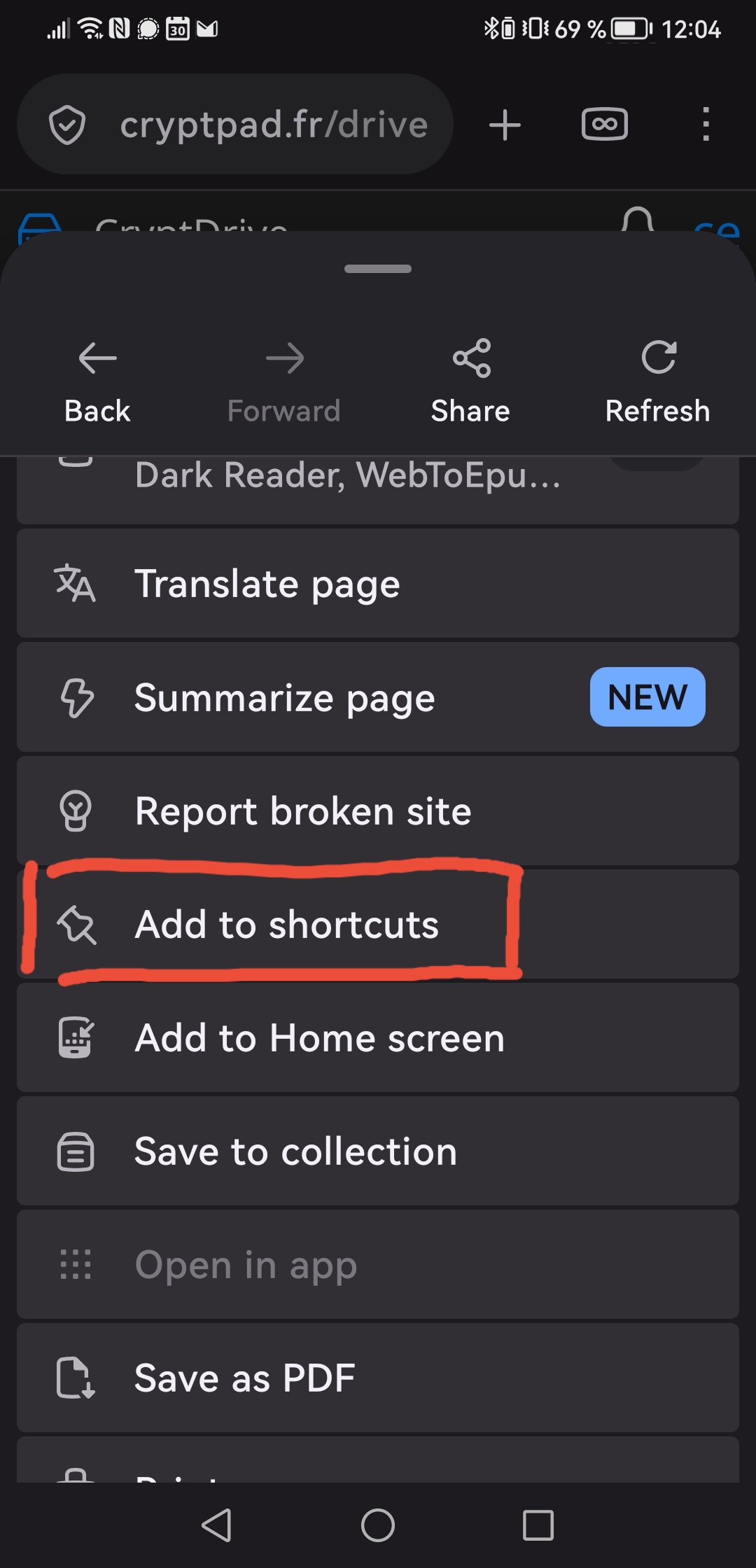
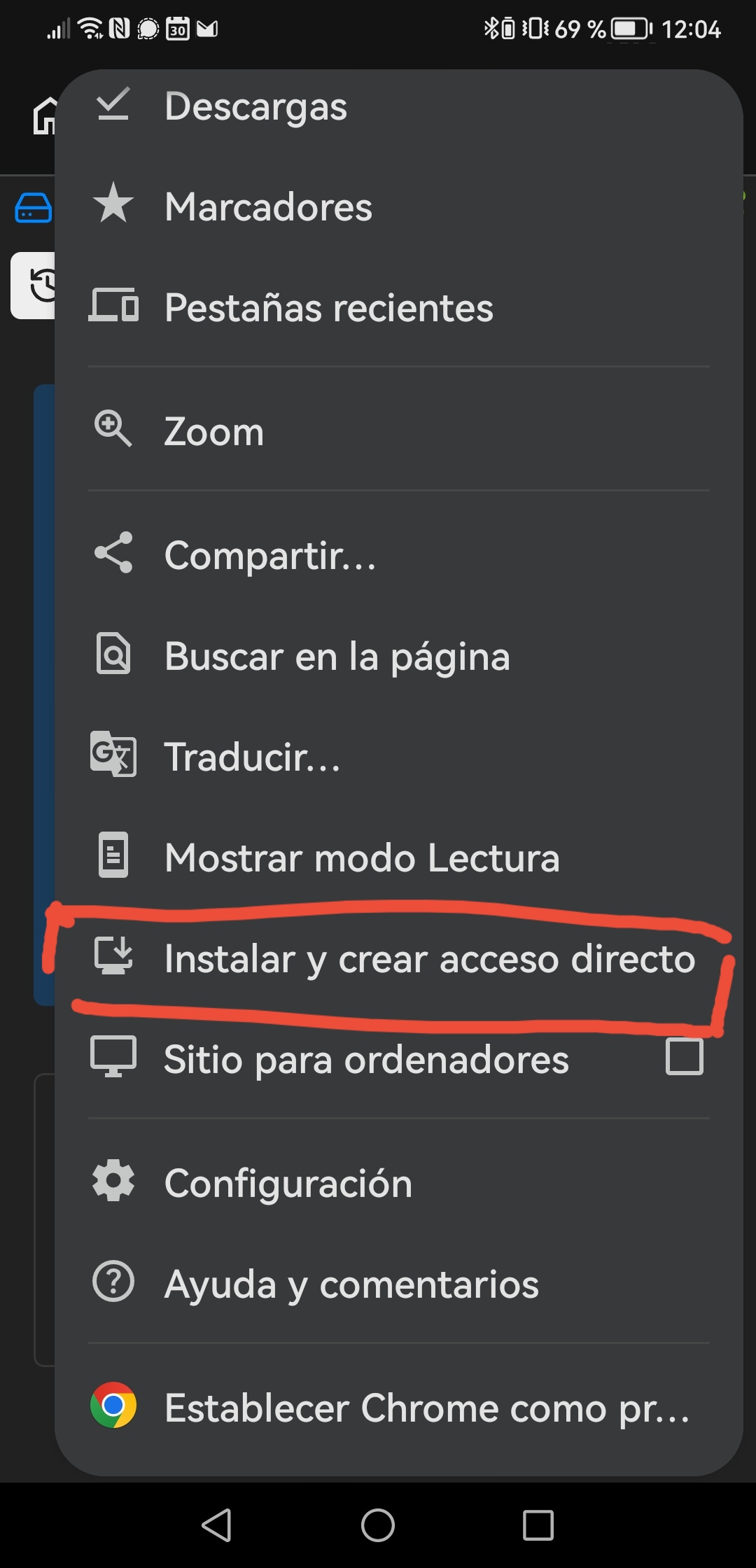
Adding CryptPad to the home screen on Android (Firefox and Chrome).
Tip: A guest file is only saved in this browser. Create an account to keep it.